
Sensor Programming
i-Sensor® Original + OBDIIThe tool that set the benchmark for TPMS in the workshop.
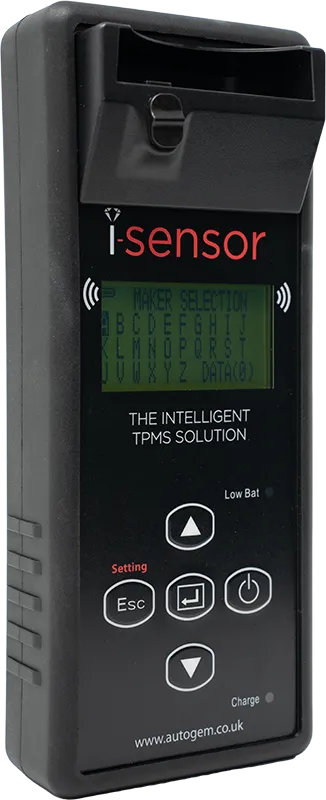
The original universal TPMS solution from Autogem. First introduced in 2013, it revolutionised TPMS accessibility in the UK aftermarket – and remains highly regarded for its market-leading sensor coverage and unparalleled simplicity.
Since 2013Trusted by UK workshops
4,500+Tools in use
2013First introduced to the UK
4500+i-Sensor® Original tools in use
99%+Direct TPMS vehicle coverage
£0Hidden, post-purchase costs
The original universal TPMS tool
Simple to use. Built to keep you earning.
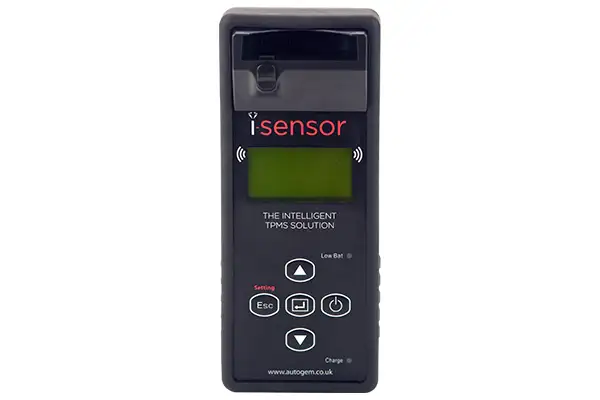
Quickly and easily diagnose OE and aftermarket tyre pressure sensors, and make brand new sensors on demand in a matter of seconds. With no hidden, post-purchase costs, your workshop stays up to date with regular updates – helping you maintain a competitive edge.
- Market-leading coverage – over 99% of Direct TPMS vehicles
- Fully compatible with all i-Sensor® blank sensors
- Free-for-life updates via the Updater Software
- Expert UK-based technical support and free online training
Features
Everything you need, nothing you don’t
Designed to make TPMS work quick, profitable and stress-free – for every technician in the workshop.
Diagnose any sensor
Read OE and aftermarket sensors – ID code, tyre pressure, battery status and temperature.
New sensors in seconds
Make brand new (non-clone) sensors on demand, or clone OE sensors via Auto and Manual Duplicate.
No hidden costs
Regular updates are included for life – no subscriptions, no surprise post-purchase fees.
Optional OBDII upgrade
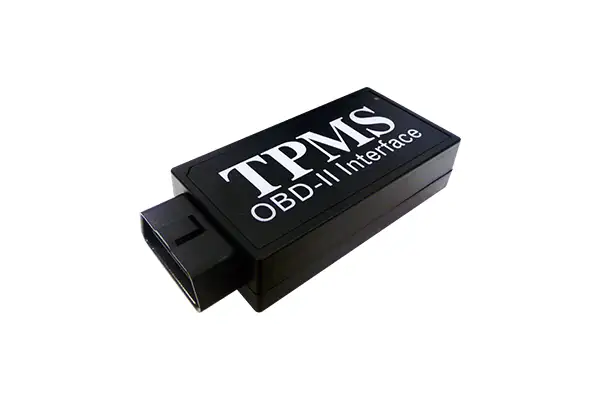
Add ECU reading and writing, DTC clearing and ECU unlocking with the cabled OBDII adapter.
How it works
From diagnosis to done in three steps
One tool, one sensor range and one simple process – so any technician can handle TPMS with confidence.
1
Test the sensor
Diagnose the existing OE or aftermarket sensor and check its ID, pressure, battery and temperature.
2
Make or clone
Place an i-Sensor® blank in the built-in cradle and create a brand new sensor – or a clone of the original – in seconds.
3
Fit and finish
Fit the sensor and, with the OBDII upgrade, write the new IDs to the ECU and clear any TPMS DTCs.
Optional upgrade
Take it further with OBDII
The optional OBDII upgrade enhances the tool’s capabilities. Connect the OBDII adapter to the tool and the vehicle to read and write the ECU, clear TPMS Diagnostic Trouble Codes and unlock secured ECUs.
Read & write ECUView stored TPMS info and write sensor IDs via OBDII.
Clear TPMS DTCsClear TPMS diagnostic trouble codes.
Unlock ECUUnlock secured ECUs to allow programming.
Disable Shipping ModeActivate locked OE sensors.
Coverage is vehicle dependent.
Compare the range
Original, EVO or PRO?
See how the i-Sensor® Original stacks up against the rest of the i-Sensor® family. Hover over a feature for more detail.
| Features | This toolOriginal+ optional OBDII | EVOWireless & BluetoothView | PROFull tyre inspectionView |
|---|---|---|---|
| Coverage & programming | |||
| Over 99% coverage | |||
| Worldwide coverage | |||
| i-Sensor® compatible | |||
| Diagnose sensors | |||
| Clone sensors | |||
| Make new sensors | |||
| Cradle programming | |||
| Wireless programming | |||
| OBDII & ECU | |||
| Bluetooth OBDII | |||
| Cabled OBDII | Optional | ||
| Read ECU | * | ||
| Write ECU | * | ||
| Clear TPMS DTCs | * | ||
| Unlock ECU | * | ||
| Disable Shipping Mode | * | ||
| OBD port location | |||
| Knowledge & updates | |||
| Relearn procedures | |||
| Image library | |||
| ID matching | |||
| Wi-Fi updates | |||
| Updater Software | |||
| Reports & inspection | |||
| TPMS condition report | |||
| TPMS & tyre condition report | |||
| TIM software | |||
| Record tyre data | |||
| Record vehicle data | |||
| Capture tread depths | |||
| Auto focus camera | |||
| QR code reading | |||
| Support | |||
| Technical support | |||
| Training |
* With the optional OBDII upgrade for the i-Sensor® Original tool.
Already own one?
Manuals, updates & support
Keep your i-Sensor® Original running at its best. Download the latest manual, update your tool with the Updater Software, or get help from our UK-based TPMS team.
- Free-for-life software updates
- Unlimited free online training
- Expert UK-based technical support
Get in touch
Talk to our TPMS team
Questions about the i-Sensor® Original or the OBDII upgrade? Call us on 0208 838 0910, option 4.

